Most people who need a receipt don't want to design one field by field — they want to pick something close to what they actually bought and have a finished PDF a minute later. That's what this generator is built for.
Free Receipt Generator
What Is a Receipt Generator?
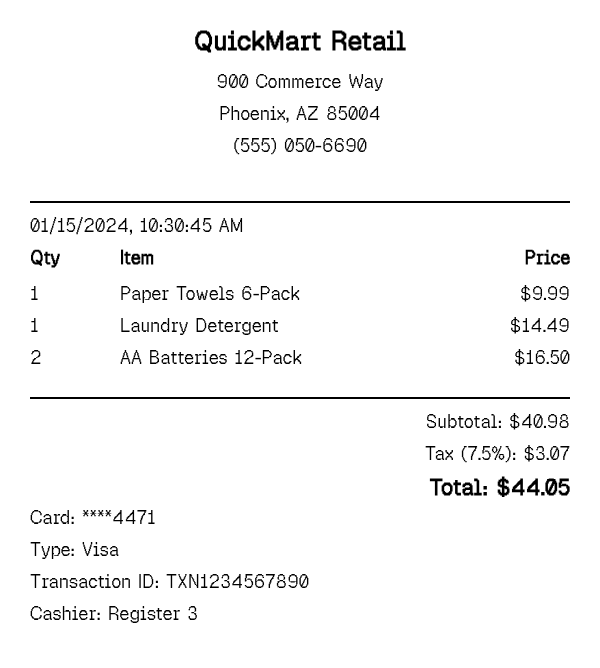
A receipt generator is the fast path to a finished receipt: start from one of 100+ store-specific templates, or a blank layout if nothing matches, then fill in the details that actually differ — items, prices, date, payment method — instead of designing the layout yourself. The template supplies the format; you supply the specifics.
The template library spans grocery and big-box retail, gas stations, pharmacies, restaurants and fast food, rideshare and delivery, and more, so most everyday purchases already have a close starting point. Every generated receipt stays fully editable after you pick a template — add or remove items, adjust totals, change the store location or date — it just saves you from building the header, item list, and totals sections from nothing. And if nothing in the library matches — an independent shop, a one-off vendor, a format that doesn't exist elsewhere — the same generator opens straight into a blank layout instead, so picking a template is never a requirement, just a shortcut when one fits.
How to Generate a Receipt
- 1
Pick a starting point — a store template or a blank layout
Search or browse the 100+ store templates by brand or category. If your exact store, restaurant, or vendor isn't listed, start from a blank layout instead rather than forcing an unrelated template to fit.
- 2
Fill in your purchase details
Add the items, quantities, and prices that match your actual purchase. The subtotal, tax, and total recalculate automatically as you edit, whether you started from a template or a blank layout.
- 3
Adjust the store details and date to match
Update the store location, date, and transaction details so the receipt reflects your actual purchase rather than the template's placeholder information — this is the step people skip most often, and it's the one that matters most.
- 4
Preview at receipt width and download the PDF
Check the live preview, which renders at true thermal-printer width, then download the finished receipt as a print-ready PDF — typically under a minute from start to download.
Why Use Our Receipt Generator?
100+ starting points. pick something already close to your real receipt instead of building the layout from zero.
Covers every major category. grocery, gas, pharmacy, restaurants, rideshare, delivery, and hotels, so most everyday purchases have a matching template.
Still fully editable. every field on a generated receipt — items, totals, date, payment — can be adjusted after you pick a starting template.
Minute-or-less turnaround. from picking a template to downloading a PDF is typically a much shorter path than building a receipt section by section.
No account required. generate as many receipts as you need without signing up or installing anything.
A blank option when nothing fits. if no template matches, switch straight to a blank layout instead of stretching an unrelated one to fit a store it was never designed for.
Who Uses a Receipt Generator?
People replacing a lost receipt
picking the matching store template and filling in what they remember, for a return, warranty claim, or reimbursement.
Employees documenting expenses
generating a receipt that matches the actual vendor quickly, for an expense report when the original wasn't kept.
Small business owners issuing quick proof-of-purchase
generating a receipt on the spot without dedicated point-of-sale software, especially for cash sales or informal transactions.
Anyone who just wants the output, not a design task
people who need a finished receipt fast and have no interest in arranging sections or layout themselves.
Receipt Generator vs Receipt Maker
This page is the fast path: start from one of 100+ existing store templates, or a blank one, and fill in the specifics. Most people get a finished receipt in under a minute without touching layout or section settings at all — the template already looks like the real thing.
The receipt maker is the deep-control path: no template involved, every section — header, items, totals, payment, barcode — built and arranged by hand from a blank canvas. It's suited to a store or format that doesn't match any of the 100+ templates, or to anyone who specifically wants control over layout and section order, not just the content that fills them in.
The two share the same underlying editor, so nothing is lost by starting on either page — a template you pick here can still have its sections rearranged afterward, and a blank receipt built on the maker can still be saved and reused as a personal starting point. The difference is only which page gets you to a finished receipt faster for your particular situation. If something close to your store already exists, start here. If you need a fully custom layout or your vendor isn't in the template library at all, use the receipt maker instead.
Tips for Generating a Receipt
- Search by brand name first — with 100+ templates covering major grocery, gas, pharmacy, and restaurant chains, there's a good chance your exact store is already there.
- Double-check the date and store location before downloading — the most common mistake is leaving in a template's placeholder details instead of your actual purchase information.
- If nothing matches, don't force it — an unrelated template edited beyond recognition usually looks less convincing than starting from a blank layout in the receipt maker.
Frequently Asked Questions
Generate Your Receipt Now
Pick a store template or start blank, fill in the details, and download a print-ready PDF in under a minute.
Open the Editor