Sheetz Receipt Generator
Create a Sheetz receipt in minutes with ReceiptCreate's free online generator. Whether you need to replace a lost receipt for a Sheetz MTO (Made To Order) food return, document a fuel purchase for mileage reimbursement, or track combined food-and-gas spending, our template matches the authentic Sheetz receipt format — including MTO menu items, fuel gallons and price per gallon, Sheetz Bros. Coffee, and payment details. Truckers, road-trippers, and Mid-Atlantic commuters use this template to recreate receipts for employer fuel and meal reimbursement, document combined fuel-and-food purchases for self-employment tax deductions, and replace missing receipts from touchscreen MTO orders. Sheetz receipts are distinctive for showing fuel and food on one combined ticket — our template replicates this exactly, with fuel priced per gallon alongside itemized food orders. Add your items, set fuel gallons and price per gallon, update the store location and register details, then download as a print-ready PDF. All receipt generation happens locally in your browser — no data is stored or transmitted. Start creating your Sheetz receipt now, completely free, no signup required.
Need a different layout? Build any receipt from scratch with our free receipt maker — add your own items, tax and logo, then download a PDF.
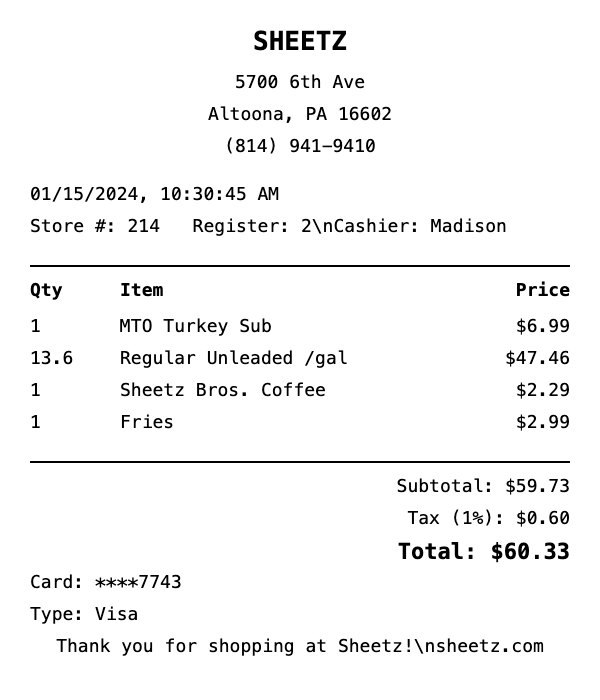
What's on this Sheetz receipt
| Item | Qty | Price | Total |
|---|---|---|---|
| MTO Turkey Sub | 1 | $6.99 | $6.99 |
| Regular Unleaded /gal | 13.6 | $3.49 | $47.46 |
| Sheetz Bros. Coffee | 1 | $2.29 | $2.29 |
| Fries | 1 | $2.99 | $2.99 |
| Subtotal | $59.73 | ||
| Tax | $0.60 | ||
| Total | $60.33 | ||
This is a sample Sheetz receipt — every item, quantity, price, and total is fully editable in the template.
How do I create a Sheetz fuel receipt?
Creating a Sheetz fuel receipt takes less than 2 minutes. Here's how:
- 1Select template — Click "Use This Template" above to open the Sheetz fuel receipt in our editor.
- 2Add items — Add your fuel details — grade, gallons, and price per gallon. Totals calculate automatically.
- 3Customize details — Edit store info, date, payment method, and tax rate to match your needs.
- 4Download PDF — Save your receipt as a high-resolution PDF, ready for printing or digital use.
Sheetz Receipt Generator FAQ
How do I create a Sheetz receipt?
To create a Sheetz receipt: 1) Click "Use This Template" below, 2) Add your items with prices, 3) Customize store details and payment info, 4) Download as PDF. Takes less than 2 minutes.
Is the Sheetz receipt generator free?
Yes, ReceiptCreate is 100% free to start. No signup, no credit card, no hidden fees for the free tier. The free version includes a watermark. Pro removes watermarks — see checkout for current pricing.
Does the Sheetz receipt look realistic?
Yes. Our Sheetz template matches the authentic receipt format with proper formatting, itemized listings, tax calculations, and payment details. Over 10,000 users have created receipts with our templates.
Can I print the Sheetz receipt?
Absolutely. Download as a high-resolution PDF optimized for 80mm thermal receipt printers. Also prints perfectly on standard letter paper.
What can I customize on the Sheetz receipt?
Everything: items, quantities, prices, store name, address, phone, date, time, payment method, tax rate, and more. Add custom messages or remove sections you don't need.
Related Receipt Templates
Shell Receipt Generator
Create realistic Shell receipts instantly with our free template.
BP Receipt Generator
Create realistic BP receipts instantly with our free template.
Exxon Receipt Generator
Create realistic Exxon receipts instantly with our free template.
7-Eleven Receipt Generator
Create realistic 7-Eleven receipts instantly with our free template.