Walmart Receipt Generator
Create a Walmart receipt in minutes with ReceiptCreate's free online generator. Whether you need to replace a lost receipt before the 90-day return window closes, document a Walmart purchase for expense reimbursement, or track household spending across grocery, electronics, and clothing, our template matches the authentic Walmart receipt format — including itemized products, Walmart+ savings, tax calculations, and payment details. Walmart shoppers and small business owners use this template to recreate receipts for returns and warranty claims, document Walmart grocery and general merchandise purchases for employer reimbursement, track spending across Supercenter, Neighborhood Market, and Walmart.com orders, and record purchases for tax deduction purposes. Add your items, adjust prices, set the store location and cashier details, apply any rollback or clearance discounts, then download as a print-ready PDF. All receipt generation happens locally in your browser — no data is stored or transmitted to any server. Start creating your Walmart receipt now, completely free, no signup required.
Need a different layout? Build any receipt from scratch with our free receipt maker — add your own items, tax and logo, then download a PDF.
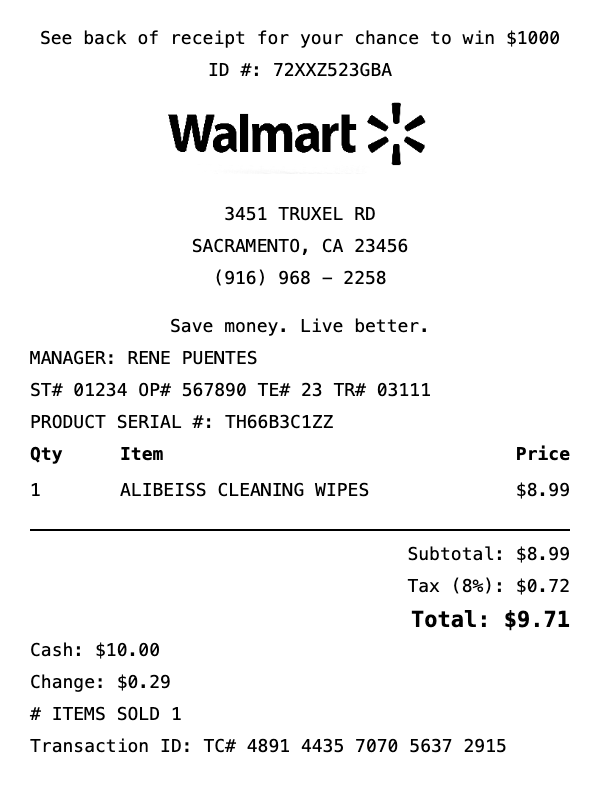
What's on this Walmart receipt
| Item | Qty | Price | Total |
|---|---|---|---|
| ALIBEISS CLEANING WIPES | 1 | $8.99 | $8.99 |
| Subtotal | $8.99 | ||
| Tax | $0.72 | ||
| Total | $9.71 | ||
This is a sample Walmart receipt — every item, quantity, price, and total is fully editable in the template.
How do I create a Walmart grocery receipt?
Creating a Walmart grocery receipt takes less than 2 minutes. Here's how:
- 1Select template — Click "Use This Template" above to open the Walmart grocery receipt in our editor.
- 2Add items — Add your groceries with quantities and prices. Totals calculate automatically.
- 3Customize details — Edit store info, date, payment method, and tax rate to match your needs.
- 4Download PDF — Save your receipt as a high-resolution PDF, ready for printing or digital use.
Walmart Receipt Generator FAQ
How do I create a Walmart receipt?
Click "Use This Template" to open the Walmart receipt editor. Add your items with quantities and prices, customize store details including location and cashier name, set tax rate, and click Download PDF. Takes less than 2 minutes.
Can I use this to replace a lost Walmart receipt for a return?
Yes. Walmart accepts receipts for returns within 90 days of purchase. If you have your original purchase details — items, prices, date, and store location — you can recreate the receipt using our template and download it as a PDF.
Does the Walmart receipt generator look authentic?
Yes. The template matches the standard Walmart receipt format with itemized products, tax calculations, payment details, and store header. It is fully customizable to match your specific purchase.
Is the Walmart receipt generator free?
Yes, free to use with no signup required. The free version includes a small watermark on the downloaded PDF. Upgrading removes the watermark — see checkout for current pricing.
Can I add Walmart+ savings and rollback prices to the receipt?
Yes. Add Walmart+ member savings and rollback or clearance discounts as individual line items or discount lines on the receipt, matching the format of an authentic Walmart receipt.
Related Receipt Templates
Kroger Receipt Generator
Create realistic Kroger receipts instantly with our free template.
Costco Receipt Generator
Create realistic Costco receipts instantly with our free template.
Whole Foods Receipt Generator
Create realistic Whole Foods receipts instantly with our free template.
Trader Joe's Receipt Generator
Create realistic Trader Joe's receipts instantly with our free template.