Aldi Receipt Generator
Create an Aldi receipt in minutes with ReceiptCreate's free online generator. Perfect for replacing lost receipts, documenting purchases for expense reimbursement, or creating records for tax purposes. Customize items, prices, and store information, then download as a high-quality PDF. All receipts are generated locally in your browser — no data is stored or transmitted. Start creating your Aldi receipt now, completely free, no signup required.
Need a different layout? Build any receipt from scratch with our free receipt maker — add your own items, tax and logo, then download a PDF.
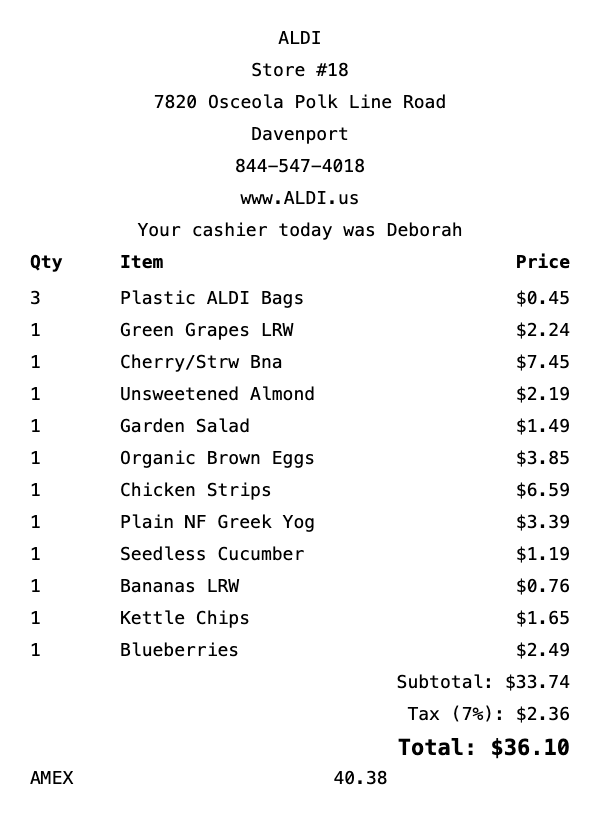
What's on this Aldi receipt
| Item | Qty | Price | Total |
|---|---|---|---|
| Plastic ALDI Bags | 3 | $0.15 | $0.45 |
| Green Grapes LRW | 1 | $2.24 | $2.24 |
| Cherry/Strw Bna | 1 | $7.45 | $7.45 |
| Unsweetened Almond | 1 | $2.19 | $2.19 |
| Garden Salad | 1 | $1.49 | $1.49 |
| Organic Brown Eggs | 1 | $3.85 | $3.85 |
| Chicken Strips | 1 | $6.59 | $6.59 |
| Plain NF Greek Yog | 1 | $3.39 | $3.39 |
| Seedless Cucumber | 1 | $1.19 | $1.19 |
| Bananas LRW | 1 | $0.76 | $0.76 |
| Kettle Chips | 1 | $1.65 | $1.65 |
| Blueberries | 1 | $2.49 | $2.49 |
| Subtotal | $37.74 | ||
| Tax | $2.64 | ||
| Total | $40.38 | ||
This is a sample Aldi receipt — every item, quantity, price, and total is fully editable in the template.
How do I create an Aldi grocery receipt?
Creating an Aldi grocery receipt takes less than 2 minutes. Here's how:
- 1Select template — Click "Use This Template" above to open the Aldi grocery receipt in our editor.
- 2Add items — Add your groceries with quantities and prices. Totals calculate automatically.
- 3Customize details — Edit store info, date, payment method, and tax rate to match your needs.
- 4Download PDF — Save your receipt as a high-resolution PDF, ready for printing or digital use.
Aldi Receipt Generator FAQ
How do I create an Aldi receipt?
To create an Aldi receipt: 1) Click "Use This Template" below, 2) Add your items with prices, 3) Customize store details and payment info, 4) Download as PDF. Takes less than 2 minutes.
Is the Aldi receipt generator free?
Yes, ReceiptCreate is 100% free to start. No signup, no credit card, no hidden fees for the free tier. The free version includes a watermark. Pro removes watermarks — see checkout for current pricing.
Does the Aldi receipt look realistic?
Yes. Our Aldi template matches the authentic receipt format with proper formatting, itemized listings, tax calculations, and payment details. Over 10,000 users have created receipts with our templates.
Can I print the Aldi receipt?
Absolutely. Download as a high-resolution PDF optimized for 80mm thermal receipt printers. Also prints perfectly on standard letter paper.
What can I customize on the Aldi receipt?
Everything: items, quantities, prices, store name, address, phone, date, time, payment method, tax rate, and more. Add custom messages or remove sections you don't need.
Related Receipt Templates
Walmart Receipt Generator
Create realistic Walmart receipts instantly with our free template.
Kroger Receipt Generator
Create realistic Kroger receipts instantly with our free template.
Costco Receipt Generator
Create realistic Costco receipts instantly with our free template.
Whole Foods Receipt Generator
Create realistic Whole Foods receipts instantly with our free template.