Instacart Receipt Generator
Create an Instacart receipt in minutes with ReceiptCreate's free online generator. Whether you need to replace a lost grocery delivery receipt for expense reimbursement, document an Instacart order for household budgeting, or track Instacart+ savings, our template matches the authentic Instacart receipt format — including grocery items, delivery fee, service fee, tip, Instacart+ member savings, and payment details. Remote workers, busy families, and gig-economy accountants use this template to recreate Instacart receipts for employer grocery-stipend reimbursement, document delivery order costs for self-employment tax deductions, replace order confirmations that expire in the Instacart app after 30 days, and track recurring delivery spending across Costco, Kroger, Publix, or Aldi orders placed through Instacart. Our template captures the two-part Instacart receipt structure — the retailer's itemized product list (sourced from the store you ordered from) plus Instacart's own fee breakdown: delivery fee, service fee, driver tip, and Instacart+ member savings if applicable. Add your items, set the originating store name, configure delivery and service fees, apply Instacart+ savings, then download as a print-ready PDF. All receipt generation happens locally in your browser — no data is stored or transmitted. Start creating your Instacart receipt now, completely free, no signup required.
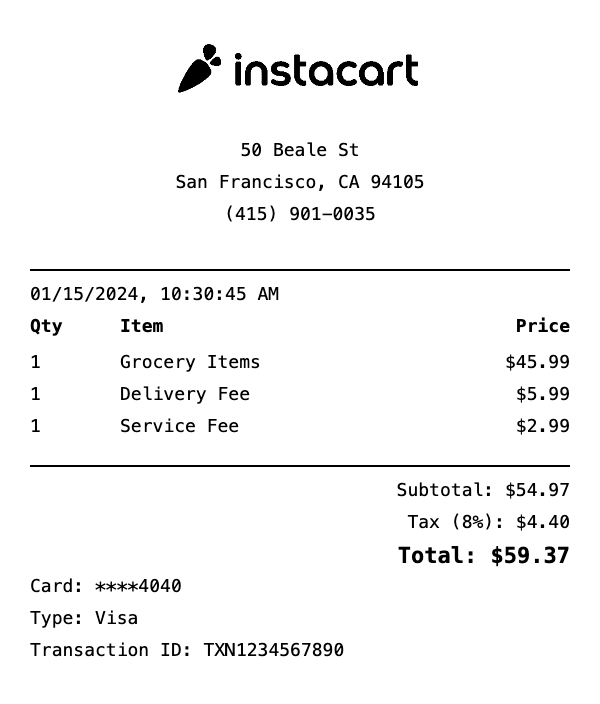
What's on this Instacart receipt
| Item | Qty | Price | Total |
|---|---|---|---|
| Grocery Items | 1 | $45.99 | $45.99 |
| Delivery Fee | 1 | $5.99 | $5.99 |
| Service Fee | 1 | $2.99 | $2.99 |
| Subtotal | $54.97 | ||
| Tax | $4.40 | ||
| Total | $59.37 | ||
This is a sample Instacart receipt — every item, quantity, price, and total is fully editable in the template.
How do I create an Instacart delivery receipt?
Creating an Instacart delivery receipt takes less than 2 minutes. Here's how:
- 1Select template — Click "Use This Template" above to open the Instacart delivery receipt in our editor.
- 2Add items — Add your order items, delivery fee, and tip. Totals calculate automatically.
- 3Customize details — Edit store info, date, payment method, and tax rate to match your needs.
- 4Download PDF — Save your receipt as a high-resolution PDF, ready for printing or digital use.
Instacart Receipt Generator FAQ
Can I add Instacart+ savings and delivery fees to the receipt?
Yes. Add Instacart+ member savings as a discount line, delivery fee, service fee, and tip as separate line items, matching the format of an authentic Instacart receipt with all charges broken out.
Can I use this to document grocery delivery for FSA reimbursement?
Yes. Add FSA-eligible pharmacy and health items from your Instacart order as clearly labeled line items and download as a PDF to attach to your FSA reimbursement claim.
Is the Instacart receipt generator free?
Yes, free to use with no signup required. The free version includes a small watermark. Upgrading removes the watermark — see checkout for current pricing.
Can I add the grocery store name to an Instacart receipt?
Yes. Add the specific grocery store (Costco, Kroger, Publix, etc.) as the store header on the Instacart receipt, matching how Instacart breaks out orders by retailer.
Can I use this for employer grocery reimbursement documentation?
Yes. Remote workers and employees with grocery stipends use this template to document Instacart orders for employer reimbursement. Download as a PDF and attach to your expense report.
Related Receipt Templates
DoorDash Receipt Generator
Create realistic DoorDash receipts instantly with our free template.
Grubhub Receipt Generator
Create realistic Grubhub receipts instantly with our free template.
Uber Eats Receipt Generator
Create realistic Uber Eats receipts instantly with our free template.
Walmart Receipt Generator
Create realistic Walmart receipts instantly with our free template.